Android tablet
8.0 or newer, landscape, 10 inches or bigger. This is the POS — everything else hangs off it.
One Android tablet on the counter. It takes cash and cards, drives the terminal, prints the receipt and opens the drawer — and through an outage it keeps selling and uploads everything the moment the line is back.
The tablet talks to the terminal, the printer and the scanner directly over the shop's own network. There is no box in the middle to buy, power or replace — and anything you already own that speaks these standards keeps working.
8.0 or newer, landscape, 10 inches or bigger. This is the POS — everything else hangs off it.
Valor or PAX on the network. Sale, void, refund and batch close. No approval can be keyed by hand.
OptionalAny USB or Bluetooth scanner in keyboard (HID) mode. Scan a product to ring it, scan a receipt to open it.
OptionalAny ESC/POS printer on 80 mm paper. Network on port 9100, Bluetooth or USB — the same bytes over all three.
OptionalAny drawer with an RJ11/RJ12 kick port, wired to the printer. It opens on cash sales and cash returns, and on nothing else.
OptionalHold a tile for five seconds and the grid opens for arranging: drag the best sellers to the front, edit a price, add what you just started stocking. Alphabetical is not how a counter works.
A tile marked +T is taxable. One rate per shop, applied to the items you flag, and stored with each sale — so raising it never rewrites last year's receipt.
Ringing up, taking the money, printing the paper and closing the day — all on the tablet, with an admin site behind it for whoever is not standing at the counter.
A dropped line does not stop the counter. Sales queue on the tablet and upload themselves the moment the server answers; the banner says how many are waiting.
Valor and PAX over the shop network. There is no way to key an approval by hand, so a payment nobody approved can never be recorded as a sale.
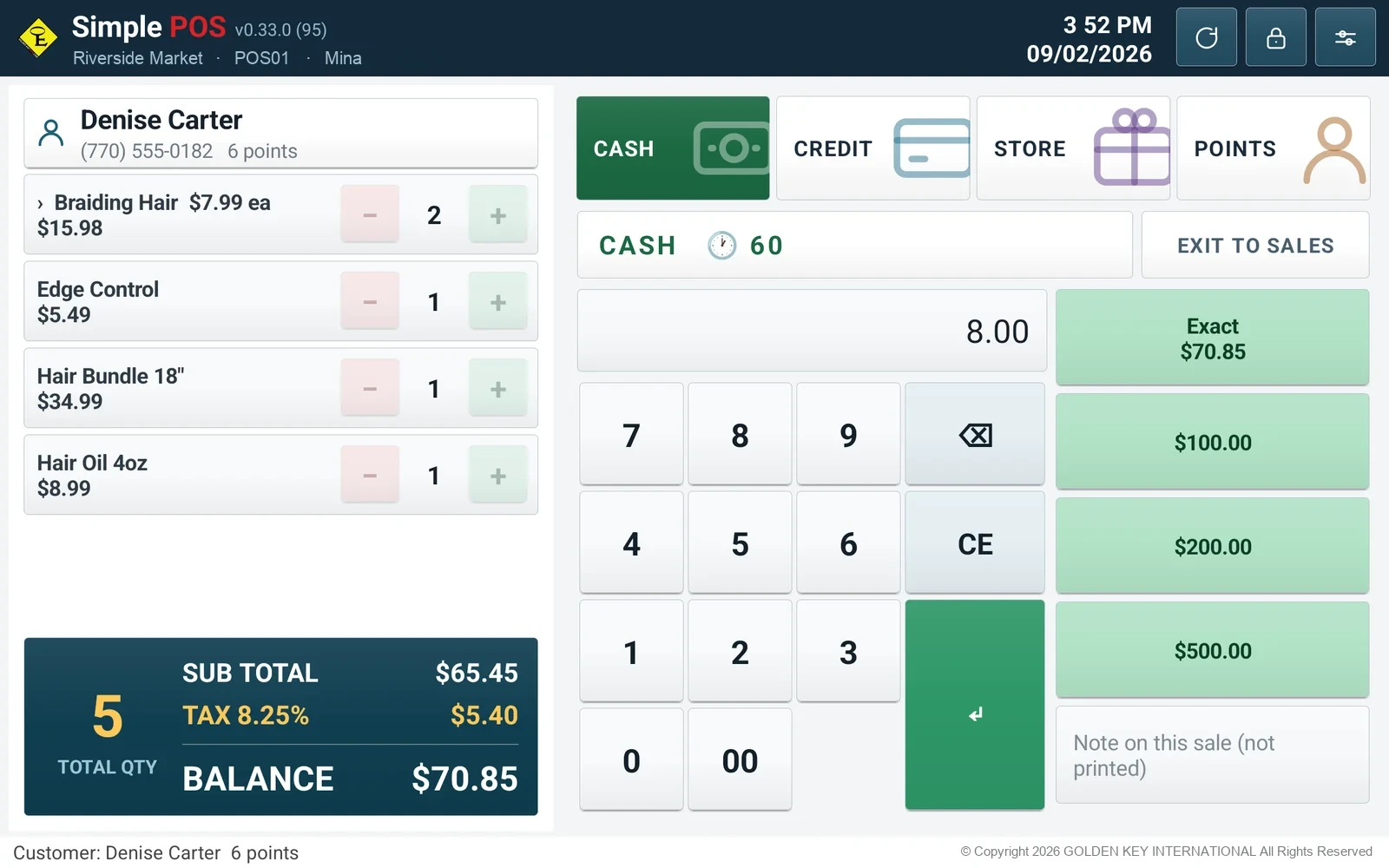
Cash, card, store card and points in any combination. Every part is collected before anything is recorded, and returns go back per tender.
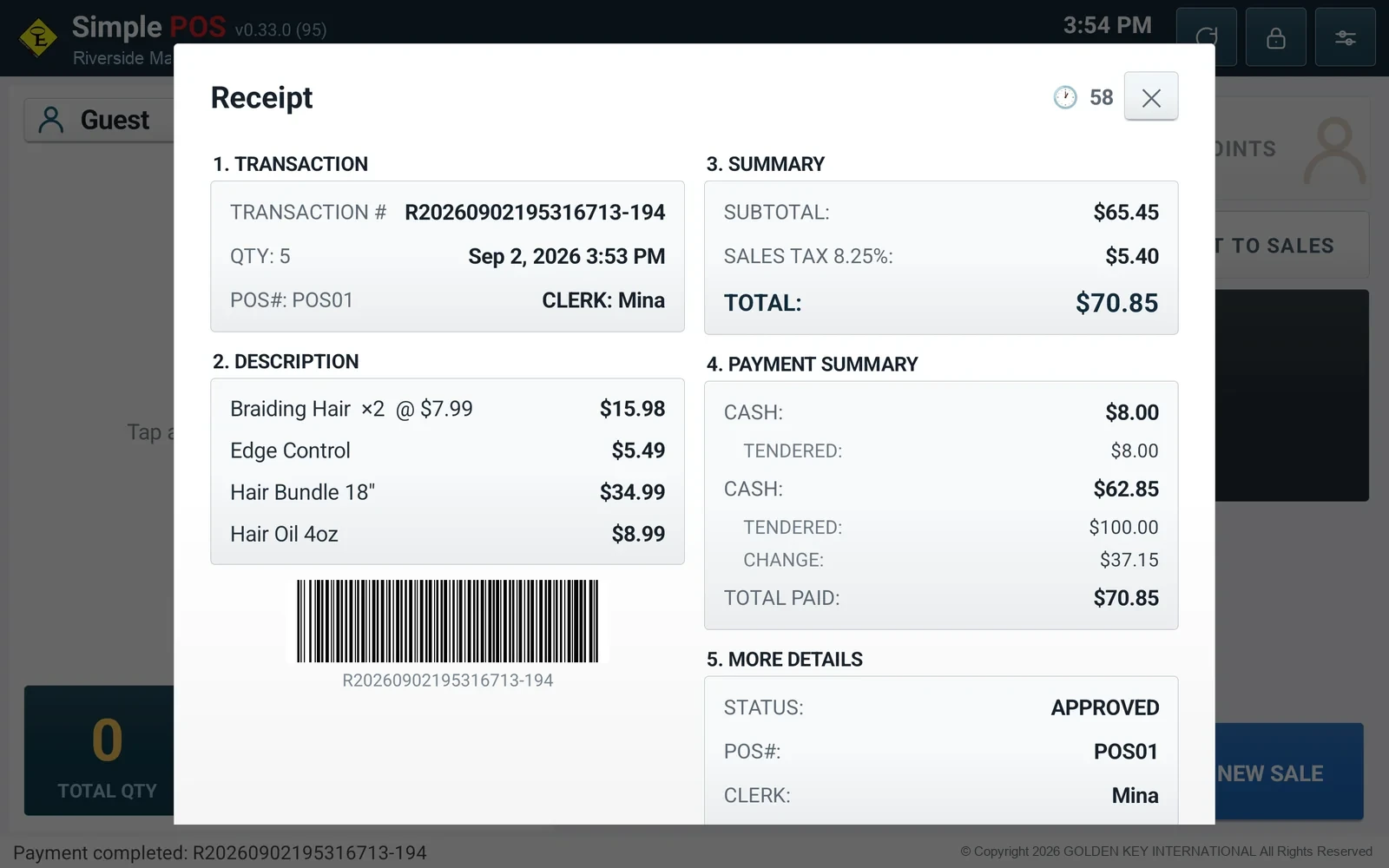
The printed receipt is the same five sections the tablet shows, over Bluetooth, USB or the network. The drawer opens on cash sales only.
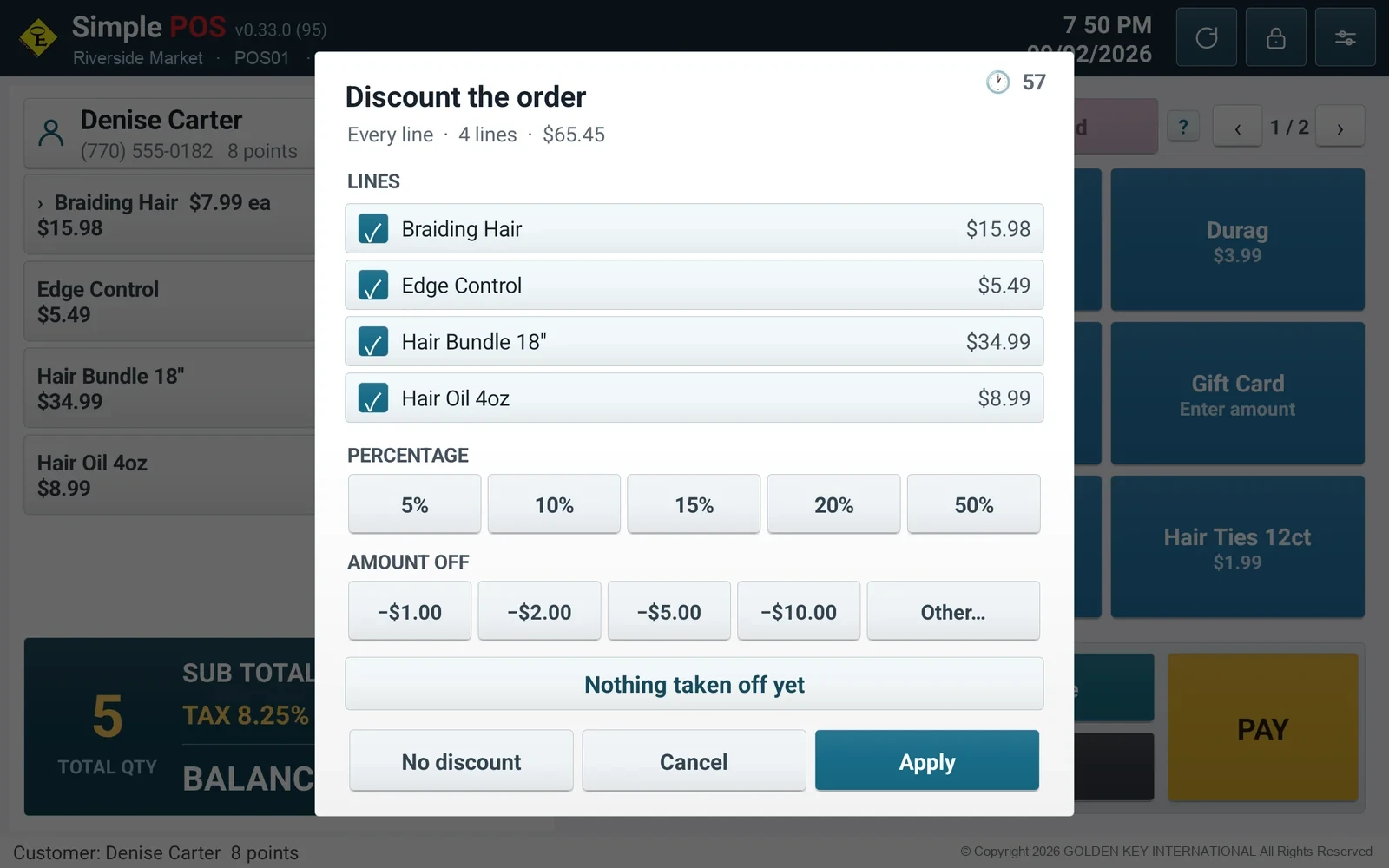
One number a cashier can ask for across the counter. Points earn on the discounted subtotal before tax, spend like any other tender, and come back when a sale does.
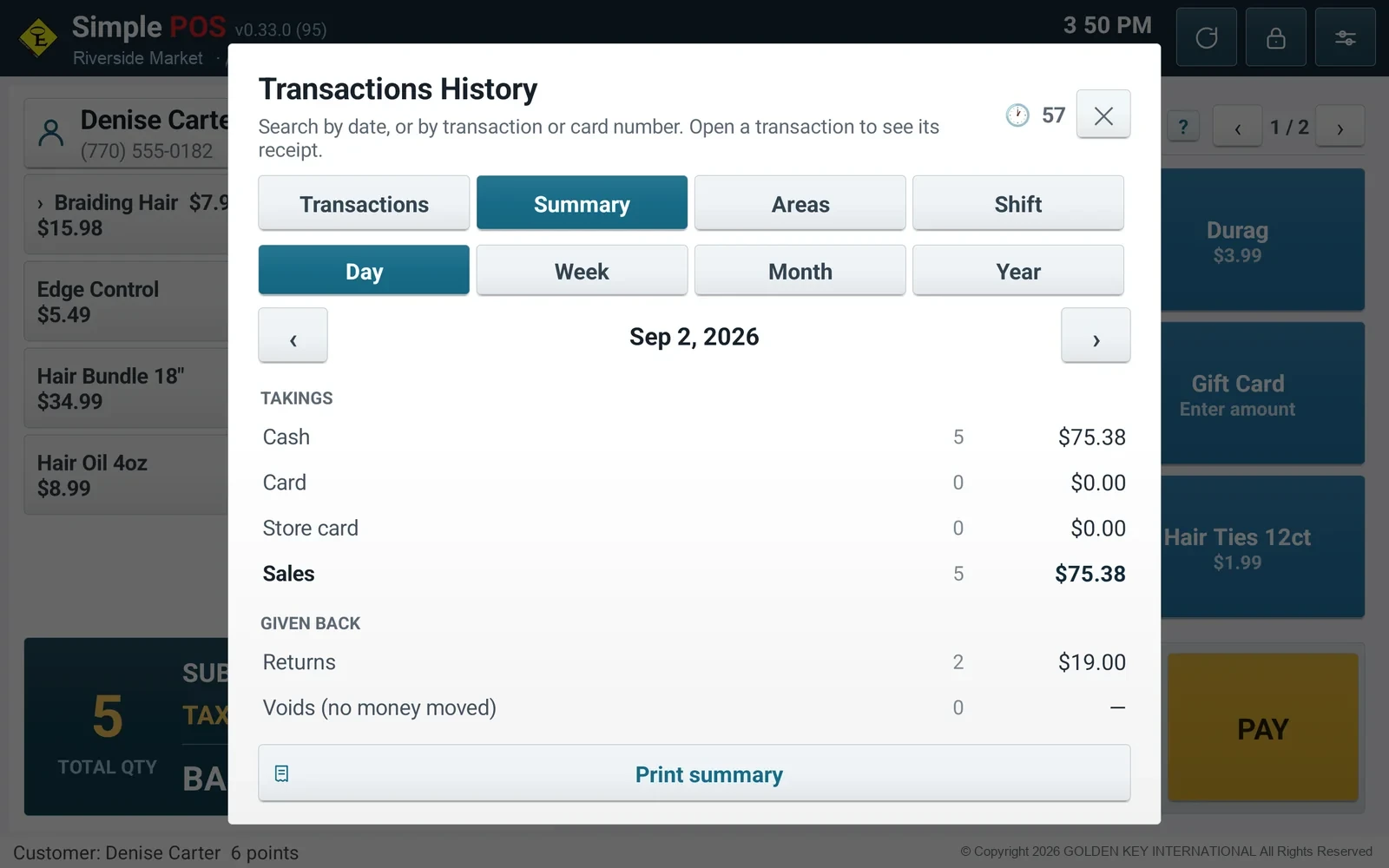
Takings by tender, returns and voids on their own lines, card batches split credit and debit, trade by postal code. Counted in the database, not summed from the last hundred rows.
Every POS carries its own key, bound to one installation. Shut one off without touching the others; a key that turns up on a second tablet is flagged rather than passing quietly.
Each shop keeps its own catalogue, cards, customers and takings. The boundary is enforced on every read and every write, not by each query remembering.
A published build is offered on the next launch, downloaded and hash-checked before Android asks its one confirmation. Never mid-sale.
Where the smallest coin is going, a cash total is rounded to the nearest five cents — the rule the US Treasury recommends, or always up or always down if a shop needs it. Only cash: card, store card and points still settle to the cent. What it moved is on the receipt.
Every sale is recalculated and recorded on the server, not on the POS. Drop the tablet, lose it, have it stolen — the day's takings, the catalogue, the customers and the card batches are all still there, and a replacement tablet is set up with a QR and a key.
The POS says what is being sold and how many; the price comes out of the catalogue on the server and is recorded there. What the tablet sends is never taken on trust, so the takings are the server's figures whatever happens to the tablet.
With no line the POS records the sale itself and carries on selling. It uploads the moment the server answers, and a resend cannot bank the same sale twice — every offline sale carries its own id and the server recognises it.
The admin site opens in any current browser: transactions, receipts, settlements, customers, the areas your trade comes from, and the POS log. Nothing has to be done standing at the counter.
Run it on our servers and there is nothing for the shop to maintain. Or run it on your own Windows server, on your own network, with the data never leaving the building — the same software either way.
The terminal talks to the card network itself and masks its own numbers; the POS scrubs the log before sending and the server scrubs it again on arrival. There is no card number in the database to lose.
Every shop's catalogue, cards, customers and takings are separated at the database layer — on every read and every write, not by each query remembering to ask.
Starter is open today. Standard and Premium are being built and are named here so you can see the ladder before you step on it. Anything the four do not describe is a conversation.
$??/ month
Software only — hardware is separate
For a single shop running one POS at one counter.
Monthly software subscription. Hardware is bought separately — choose your own.
Coming soon
Software only — hardware is separate
For a shop with more than one counter.
Monthly software subscription. Hardware is bought separately — choose your own.
Coming soon
Software only — hardware is separate
For an owner with more than one shop.
Monthly software per shop. Hardware is bought separately — choose your own.
Custom pricing
Software and hardware priced separately
For anything the other three do not describe.
Software and hardware both priced on what the counter has to do.
Hardware is bought separately and priced on what you choose — a POS with no card terminal costs less than one with two. Everything is optional, and anything you already run that speaks these standards keeps working. Tell us what the counter needs on the form and a person answers with the figure, usually the same working day.
Create an account and we set the shop up with you, or ask for a price on the tablets and terminals first. Either way a person reads it — nothing here is automated but the acknowledgement.